Text Step
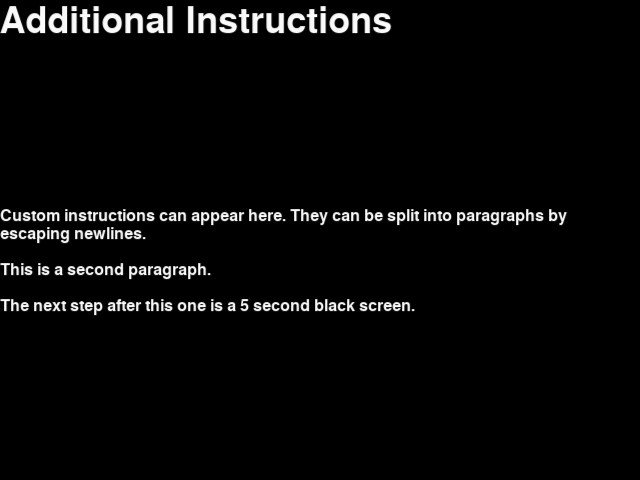
The text step displays text configured in the step JSON. This can be used for custom instructions.
The prompt, and list of answers are configurable.
JSON Configuration for Text Step
Below is sample JSON for a text step will all the options specified.
{
    "action": "text",
    "duration": 30.0,
    "trigger_count": 10,
    "text": "Custom instructions can appear here. They can be split into paragraphs by escaping newlines.\n\nThis is a second paragraph.\n\nThe next step after this one is a 5 second black screen.",
    "title": "Additional Instructions"
},
duration- The number of seconds to show the step for. When omitted, a “Click to continue” prompt is added below the bottom option that allows the player to advance to the next step when they are ready.
trigger_count- The number of incoming trigger pulses until this step automatically advances. When omitted, a “Click to continue” prompt is added below the bottom option that allows the player to advance to the next step when they are ready.
text- Text to display. Newlines can be included as
\n. No other formatting options are available. title- Optional title to display. Newlines can be included as
\n. No other formatting options are available.